
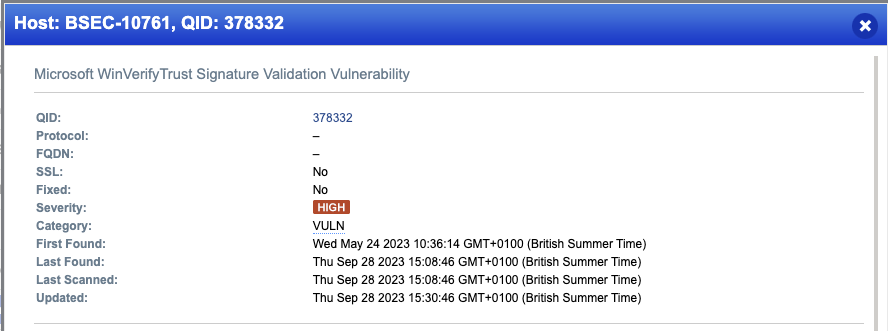
First up, I’ve heard some people say because it’s not a “Patch” it doesnt need to be applied for Cyber Essentials – Let’s blow that myth straight out the water…
The NCSC Cyber Essentials Requirements for IT Infrastrucutre v3.1 (April) – the latest version at the time of writing – say’s this on Page 10, Requirements Bullet point 4…
be updated, including applying any manual configuration changes required to make the update effective
Guess what… that means applying registry fixes too!!
Use at your own risk!
This is designed for Competent IT People to use as a reference and NOT for an IT novice to blindly follow!
Please Test before you use it in anger!
So, the actual fix is to add a a couple of keys to the registry – that’s stated here by Microsoft:
https://msrc.microsoft.com/update-guide/vulnerability/CVE-2013-3900
Now wait a little while for it to start to push out (it can take some time, I wrote this article whilst waiting for it! Still wasnt done, so I rebooted… now it’s done!)
Once Done you can check on one of your test machines it’s worked by running Reg Edit and checking if the required Registry key is present… – It’s also worth checking in Endpoint Manager > Devices > Scripts > Win Verify Trust Reg Fix > Overview to check it’s deployed OK (You’ll see a screenshot from when I was testing it, it failed first time round, then I fixed it and it started working, hence the 1 fail and 1 succeeded)
I figured it was safer for you to copy and past in to a new PowerShell file, rather than download a file from my website. So here’ s the file in full, please read and understand it 🙂
## PowerShell Script to Add Registry Key for Win Verify Trust Vulnerability Fix
# Written by Chris Blunt - Blunt Security September 2023
# Use at your own risk!
##
## Please See the following Blog Post for further info about how to use this in Intune
## https://bluntsecurity-uk.jwhoststaging.co.uk/msp-articles/fixing-win-verify-trust-with-intune/
#
## The following MS Article has been used as reference material
## https://msrc.microsoft.com/update-guide/vulnerability/CVE-2013-3900
## https://learn.microsoft.com/en-us/answers/questions/1182542/cve-2013-3900-winverifytrust-signature-validation
#
if (!(Test-Path 'HKLM:\Software\Microsoft\Cryptography\Wintrust')) {
 New-Item -Path 'HKLM:\Software\Microsoft\Cryptography' -Name 'Wintrust' | Out-Null
 }
if (!(Test-Path 'HKLM:\Software\Microsoft\Cryptography\Wintrust\Config')) {
 New-Item -Path 'HKLM:\Software\Microsoft\Cryptography\Wintrust' -Name 'Config' | Out-Null
 }
 Set-ItemProperty -Path 'HKLM:\Software\Microsoft\Cryptography\Wintrust\Config' -Name 'EnableCertPaddingCheck' -Value '1' -Type REG_SZ
if (!(Test-Path 'HKLM:\Software\Wow6432Node\Microsoft\Cryptography\Wintrust')) {
 New-Item -Path 'HKLM:\Software\Wow6432Node\Microsoft\Cryptography' -Name 'Wintrust' | Out-Null
 }
 if (!(Test-Path 'HKLM:\Software\Wow6432Node\Microsoft\Cryptography\Wintrust\Config')) {
 New-Item -Path 'HKLM:\Software\Wow6432Node\Microsoft\Cryptography\Wintrust' -Name 'Config' | Out-Null
 }
 Set-ItemProperty -Path 'HKLM:\Software\Wow6432Node\Microsoft\Cryptography\Wintrust\Config' -Name 'EnableCertPaddingCheck' -Value '1' -Type REG_SZ
If you want some straight talking help with Cyber Essentials or a wider Cyber Security matter Book a discovery call with me today.
Cyber Essentials is designed to be easy and cost effective for Small organisations to achieve, in fact often it’s the larger organisations which struggle more as they have more complex systems which need additional work to meet the minimum requirements set out by the UK Government. The framework and question set is available free to any organisation so there is a very low barrier to entry, you just need to spend a little bit of time reading about it!